
Documentation for nexxus 0.2
Make nexxus your system.
Set up your workspace, work with the AI Assistant on your real data, and build your own apps and modules. Step by step, with the screens you will actually see.
Guides
Start with what you want to do
Every guide walks through one task from the first click to the result, with the exact labels the app shows.
Add a provider, choose your models and see what every answer costs.
Build your dashboardPut the figures and lists you check every morning on one page.
Invite your teamSend invitations, hand out roles and decide who may see what.
Set up OAuthSign-in and connected services that use the accounts you already have.
Set up a connectorGive the AI Assistant access to the tools you run, always with the rights of the person asking.
Embeddings and voiceLet the AI Assistant find documents by meaning, and talk to it instead of typing.
Discover appsSmall tools that live in your files. The AI Assistant and your team edit them together.
Create an appFrom an idea to a working app, the whole flow in one guide.
Build an NXM moduleNewPackage your own business module and install it in any tenant.
Paths
Pick your path
nexxus has four kinds of readers. Follow the path that fits your role, or read across.
Admins
Set up the tenant, connect AI and connectors, manage access.
Everyone
Work with the AI Assistant and your company's data every day.
Builders
Build tools for your team without writing code.
Developers
Extend nexxus with connectors and NXM modules.
Platform
How nexxus works
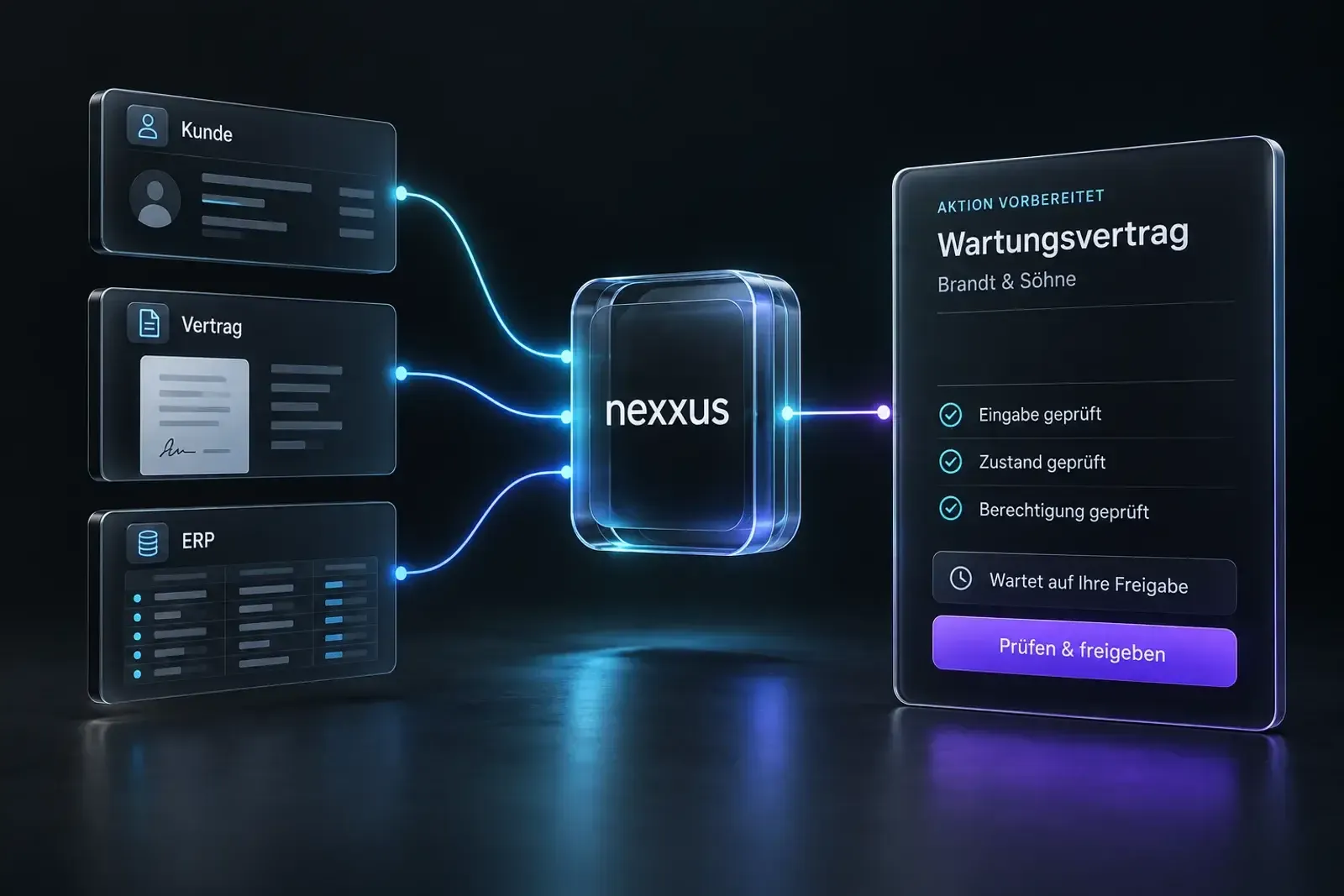
nexxus sits between the systems your company already runs and the AI models you choose. Every request passes the same rights check, whether a person clicks or the AI Assistant acts for them.
Your systems
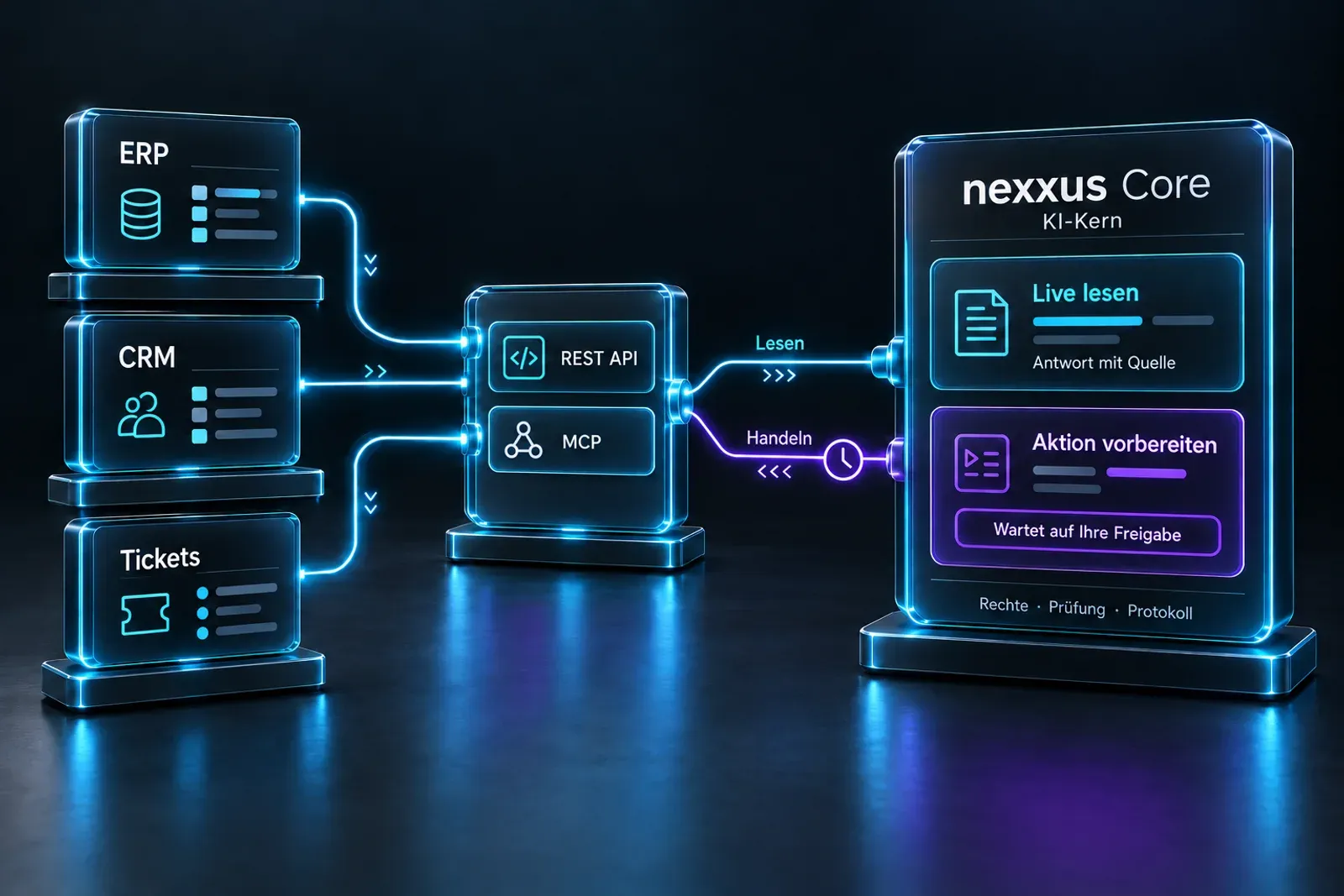
- CRM and ERPThrough REST APIs or MCP
- Files and mailDocuments the AI Assistant can read
- ConnectorsTools for the assistant
nexxus
One core with business modules and the AI Assistant on every page
- Rights
- Tenants
- Audit log
- AI
What you get
- Answers with sourcesFrom your own data
- Proposals you approveThe AI Assistant never writes on its own
- Costs you can tracePer answer, person and model
Connectors
Connect what you already run
A connector gives the AI Assistant a set of actions in another system. Each action runs with the credentials and rights of the person who asked, so the assistant can never see more than they can.
NXM modules
The case only you have gets its own module
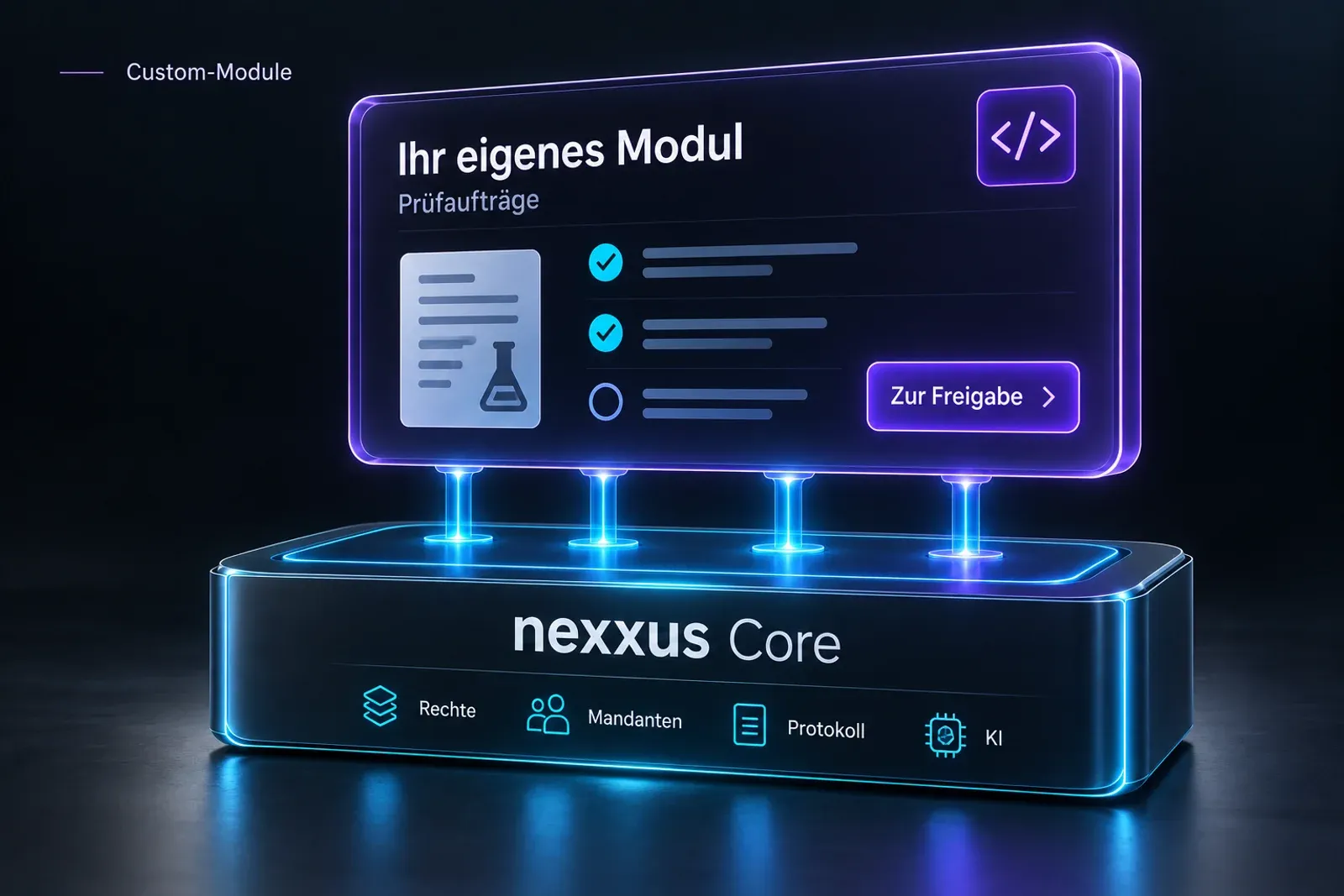
An NXM package brings its own records, views, roles and assistant tools. It runs on the same core as the built-in modules: rights, tenants, audit log and AI come with it.

Security
You decide where your data goes
Choose European providers or run models on your own servers. The AI Assistant acts with the role of the person asking, tools ask before they send anything to an outside service, and every change lands in the audit log.