
Set up your workspace
Search by meaning
How nexxus turns knowledge entries, document content and conversations into embeddings so the AI Assistant finds things by what they mean. Choose the embedding model, import documents, reindex, switch it off, and know the limits.
Tom Keller asks the AI Assistant: “How many days off do I get on a four-day week?” The employee handbook does not contain that sentence. It has a section called “Leave entitlement with reduced working hours”. A search for words would miss it. A search by meaning finds it, because both talk about the same thing.
For that, nexxus turns text into embeddings: long lists of numbers (vectors) that place texts with similar meaning close to each other. A German question then finds an English document, “PDF broken” finds “PDF upload failure”, and a paraphrase finds the original. This page explains what nexxus embeds, which model does the work, and what you can control.
How it works
Section titled “How it works”Text arrives
A knowledge entry is saved or a document is uploaded to Files.
Split
Documents are split into sections at their headings.
Embed
The embedding model turns each section into a vector.
Store
nexxus keeps the vectors in PostgreSQL with pgvector.
Find
The AI Assistant compares a question with the vectors and checks rights.
What gets embedded
Section titled “What gets embedded”| Content | When | Who can find it |
|---|---|---|
| Entries in Knowledge (name, description and content) | After every save. Sections imported from a document only when you run Generate embeddings. | Everyone the entry is visible to: Personal (only the creator), Business unit (the unit and its sub-units) or Company (everyone) |
| The content of documents in Files | When a document is uploaded, when a new version is saved, and when a draft is turned into a version | Only people who may at least view the document. nexxus checks this per document on every search. |
| A running summary of each conversation | Whenever the summary changes | Only the avatar the conversation was held with, and only for the person who held it |
The conversation summaries are what lets an avatar remember earlier conversations (“what did we agree with Nordwind AG about the relaunch?”). Knowledge and documents are what most people mean by search.
How the AI Assistant searches
Section titled “How the AI Assistant searches”Knowledge is searched in two ways at once: by meaning (vector similarity) and by words (PostgreSQL full-text search). nexxus merges the two result lists by rank, so an exact error message and a loose paraphrase both find their entry. If the embedding provider is down, the word search still answers.
Entries that actually helped in answers get a boost in later searches. That boost fades by one percent per day without use, so knowledge that nobody needs any more sinks back.
Knowledge search runs automatically in every conversation where the connector Company knowledge is active. It is installed and active by default. If someone switches it off in a conversation, the AI Assistant does not search knowledge there. See Connectors.
Document content is searched by meaning only. The AI Assistant over-fetches candidates, drops every section from a document the person may not view, and returns the rest.
Before you start
Section titled “Before you start”- A provider with an embedding model is connected and active. See Connect your AI.
- To choose the model you need the permission block AI Providers with Write. To switch embeddings on or off you need the admin role.
Choose the embedding model
Section titled “Choose the embedding model”The embedding model must produce vectors with exactly 1536 dimensions, because that is the size of the vector columns in the database. OpenAI’s text-embedding-3-small does. Models that can shorten their output, such as text-embedding-3-large, also work, because nexxus asks for 1536.
If you select nothing, nexxus uses text-embedding-3-small through your OpenAI provider. Without an OpenAI provider, select a model explicitly, or nothing gets embedded.
-
Open AISet up AIAI Providers and click the provider that offers the embedding model.
-
Click Synchronise models if you have not done so since the provider added the model. The tab Embeddings appears as soon as the provider has at least one embedding model.
-
Open Embeddings and turn on Use for the model. If another provider holds the selection, the tab tells you and your choice replaces it.
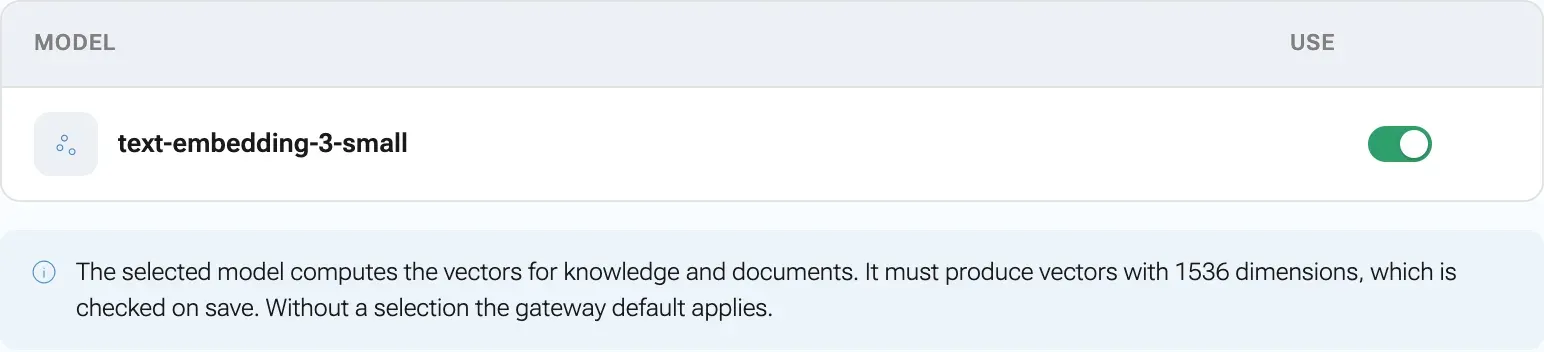
One embedding model applies to the whole workspace. -
Click Save. If this changes the model your workspace embeds with, nexxus asks first: Switch embedding model? Confirm with Switch and recompute.

After the switch, nexxus recalculates every vector.
Before it saves, nexxus embeds a short test text with the new model. If the provider has no usable key or the vectors have the wrong size, the save is refused and the message tells you why (see When something goes wrong). Nothing changes in that case.
When the model changes, everything is recalculated
Section titled “When the model changes, everything is recalculated”Vectors from two different models cannot be compared. So when the effective embedding model of your workspace changes, nexxus throws away every stored vector and calculates all of them again from the stored text, for knowledge entries and for document sections. The documents are not read again; only the vectors are new.
This happens when you select another model, when you delete the provider that held the selection, and when you switch that provider off. Until the recalculation is through, search by meaning finds less. It costs one embedding call per knowledge entry and per document section, which you see on the usage page if the model has a price.
Import documents into Knowledge
Section titled “Import documents into Knowledge”Uploading a handbook to Files makes it searchable for the people who may see it. To make it part of the company knowledge instead, with its own visibility and the boost for useful entries, import it into Knowledge.
-
Open AIWork with AIKnowledge.
-
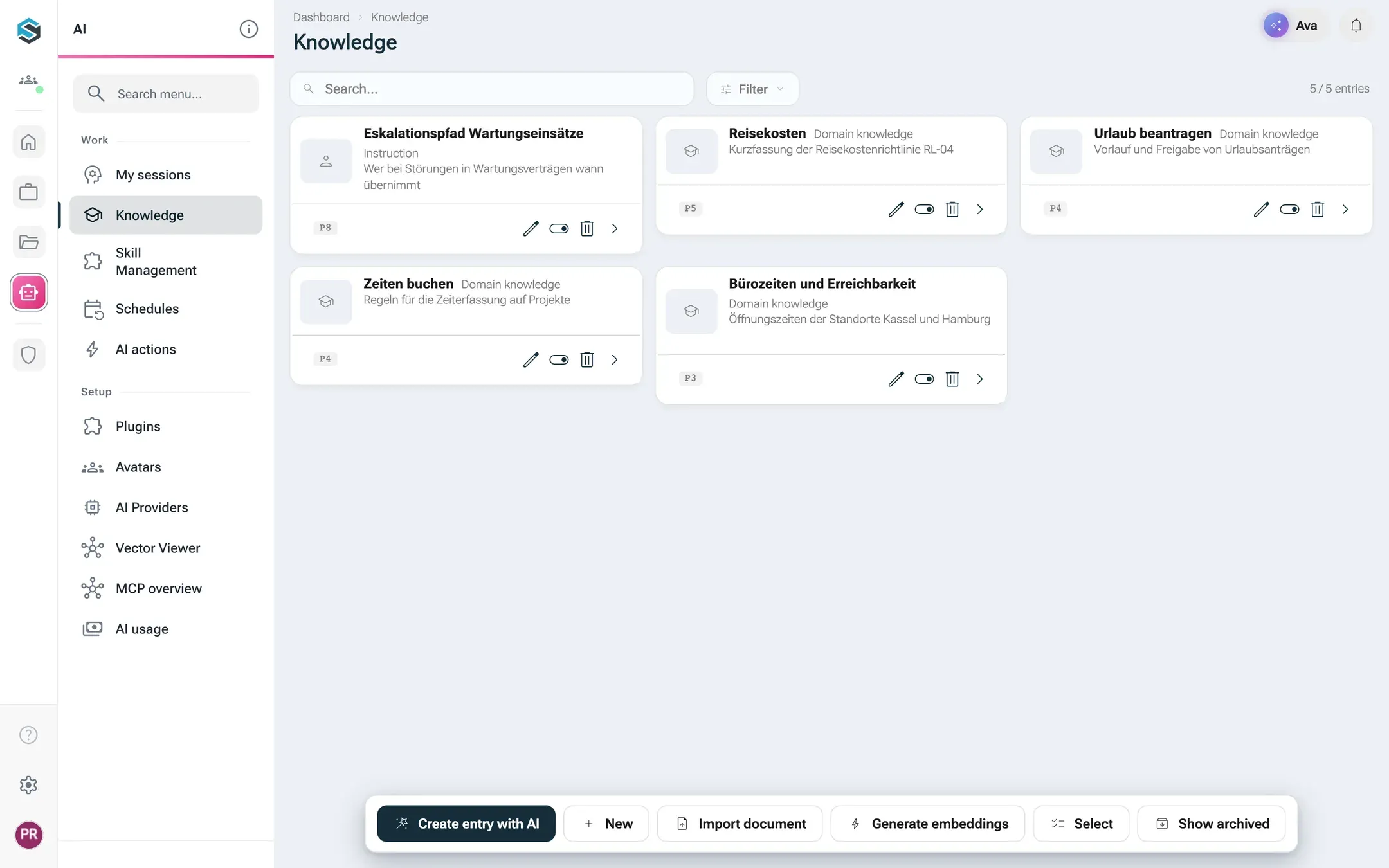
Click Import document and pick the file.
-
A dialog asks for the Category for the imported sections. The default is General. Enter something that groups the sections, for example “HR”, and click Import.
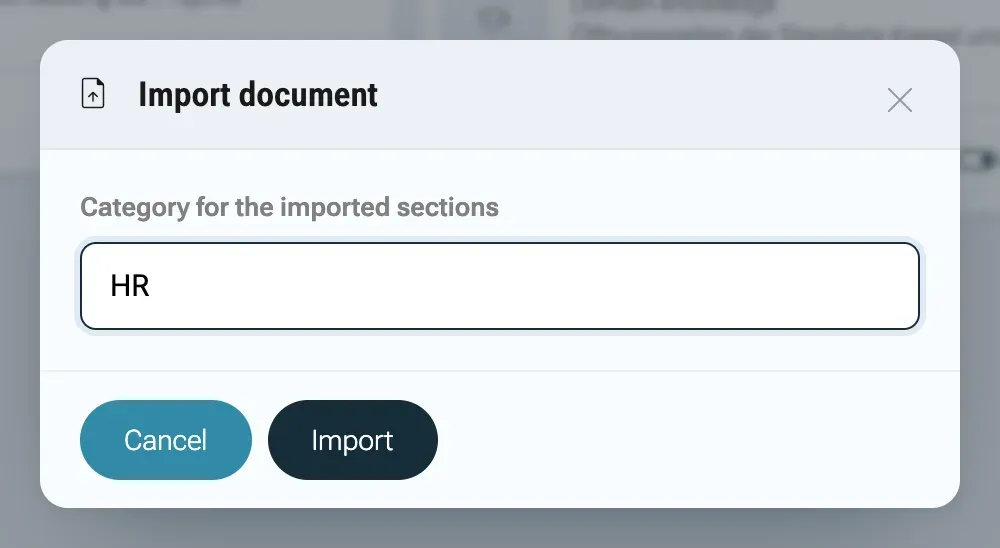
The category groups the sections of the imported document. -
A message confirms that the import has started. The sections appear in the list after a short while, with the type Document section.
-
Click Generate embeddings. nexxus embeds every entry that has no vector yet. The message “Bulk vectorization started for 12 items” (with your number) confirms it, or “All knowledge items are already vectorized” if there is nothing to do.
Each entry shows on its detail page whether it is Vectorised or Not vectorised, and under Retrieval statistics how often the AI Assistant found it and used it.
Reindex
Section titled “Reindex”| Situation | What to do |
|---|---|
| You changed the embedding model | Nothing. nexxus recalculates all vectors on its own. |
| Knowledge entries show Not vectorised | Click Generate embeddings in Knowledge. |
| A document in Files changed | Nothing. Every new version is split and embedded again. |
| Documents were uploaded before content search existed | Your operator can start the backfill: POST /api/dms-document/reindex-content indexes every document of the workspace that has no sections yet. It runs in the background and skips documents that are done. |
| Documents were uploaded while embeddings were switched off | Their sections exist, but without vectors. They get vectors when a new version is saved or when the embedding model changes. |
Turn embeddings off
Section titled “Turn embeddings off”Some companies do not want any text to go to an embedding provider. You can switch embeddings off for your workspace.
-
Open AdministrationOperationsSystem configuration.
-
In the section AI embeddings, set Enable embeddings (vectorisation) to Off.
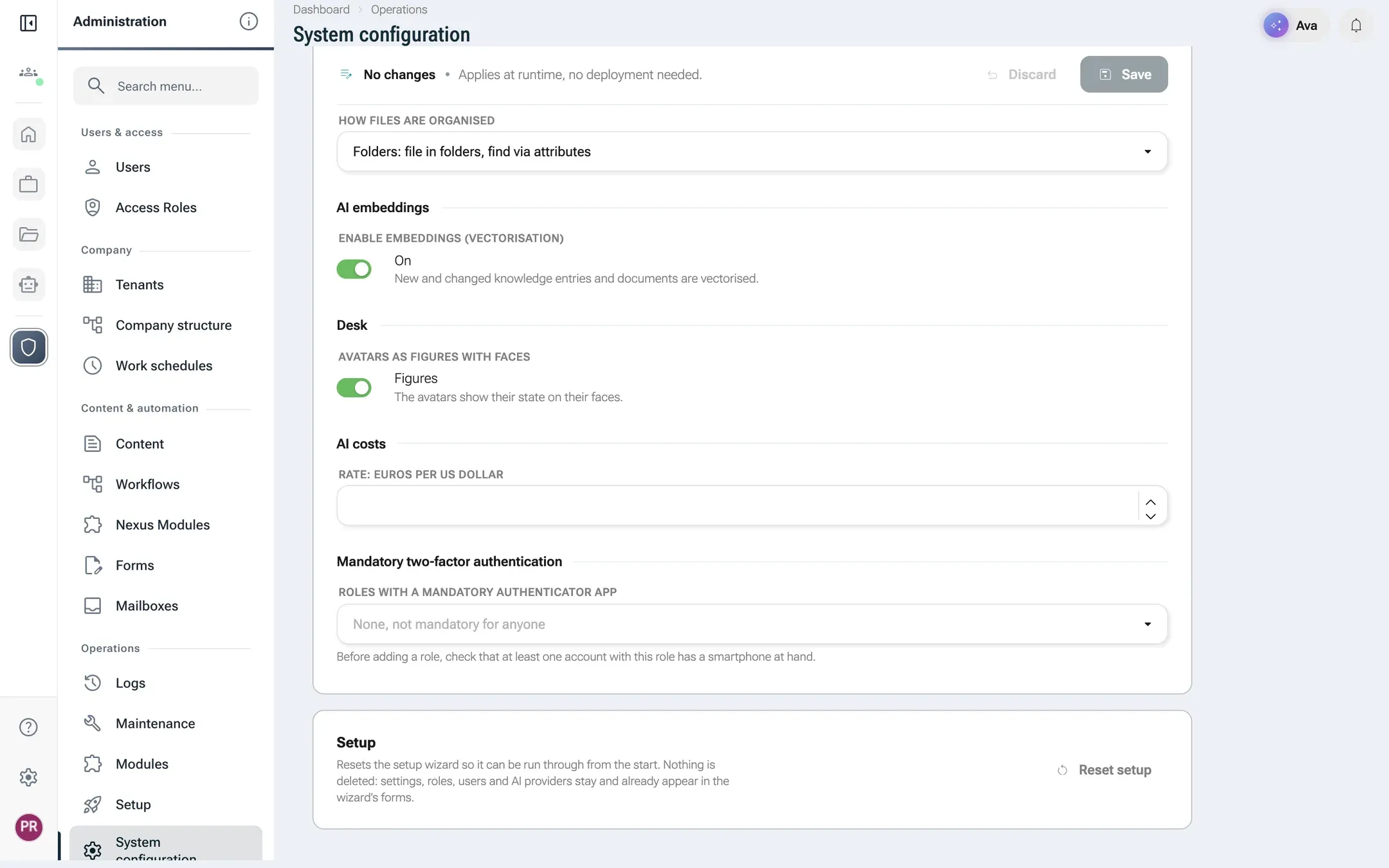
Switched off, no text goes to an embedding provider. -
Click Save. The setting applies within a few seconds, no restart needed.
What changes when embeddings are off:
- No text leaves for embedding. Knowledge entries and document sections are still stored, without vectors.
- A recalculation that is running stops at the next entry.
- Knowledge search keeps working through its word search.
- The AI Assistant’s search inside document content finds nothing, because it works by meaning only.
- Avatars recall earlier conversations through word search only.
Switching back on calculates nothing by itself. Use Generate embeddings for knowledge entries.
Look at the vectors
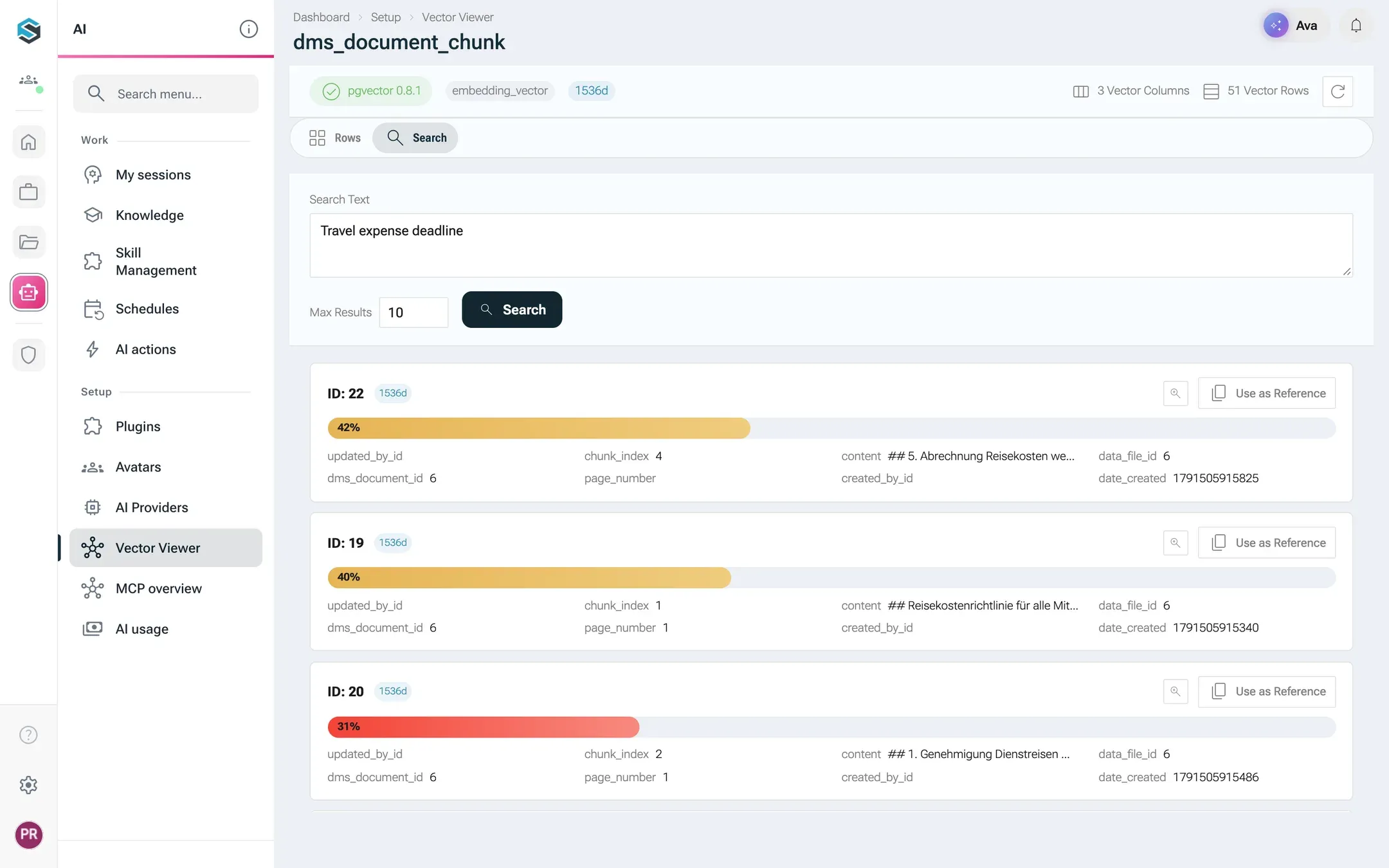
Section titled “Look at the vectors”Admins can open AISet up AIVector Viewer to see the vector columns of chat summaries, document text and knowledge entries: how many rows your organisation has in each and how many of them already carry a vector. Rows and hits show only what you may see elsewhere in the app, so document text only from documents you may open. The tab Search runs a Similarity Search: enter a Search Text, choose Max Results and click Search. Each hit shows its Similarity. That is a quick way to check whether a new embedding model finds what you expect.
What happens behind the scenes
Section titled “What happens behind the scenes”- Extraction. nexxus sends documents to a Docling service, which extracts the text, with OCR for scanned pages. Your operator chooses which Docling service is used (setting
docling.api.url). If documents must not leave your network, run Docling yourself. - Splitting. Sections start at every heading. A section is closed after about 2000 characters and continues with the same heading marked “(continued)”. Fragments under 50 characters are dropped.
- Through the gateway. nexxus never calls the embedding provider directly. It asks the AI gateway, which uses your workspace’s selected model and key.
- Failures do not block work. If embedding fails for one entry or section, nexxus saves it anyway without a vector, and the next run of Generate embeddings or the next new version tries again.
- Storage. PostgreSQL with the pgvector extension. Knowledge entries and document sections live in separate tables on purpose: document content is only ever returned after a rights check per document.
Limits
Section titled “Limits”- The vector size is fixed at 1536. An embedding model with another size cannot be selected. That rules out many small models you might run on your own server.
- Conversations from before an avatar had a memory get no vector afterwards. Word search still finds them.
- A switch of the embedding model costs one embedding call per entry and section of the whole workspace.
- Chat, voice and image generation do not depend on embeddings. Switching embeddings off only affects search.
When something goes wrong
Section titled “When something goes wrong”| Message or symptom | Cause and fix |
|---|---|
| Saving fails with “Embedding API error: Embedding model … returns 768 dimensions, the vector store needs 1536.” | The model produces vectors of the wrong size. Choose a model with 1536 dimensions. |
Saving fails with a message that contains No usable provider | The provider of that model is switched off or has no key. Check Provider active and Credentials. |
| The Vector Viewer search says “Embeddings sind deaktiviert” (embeddings are switched off) | Embeddings are off in the system configuration or locked by the operator. |
| Imported sections never appear | Docling could not convert the file. The reason is in the server log; try another format or ask your operator. |
| Many entries stay Not vectorised after Generate embeddings | Embedding calls fail. Check the embedding provider with Test connection, and check that embeddings are switched on. |
| Search finds less than before | A model switch is still recalculating. Wait, and check the share of rows with vectors in the Vector Viewer. |
| The AI Assistant finds nothing inside documents | Embeddings are off, the document was uploaded while they were off, or the person may not view the document. |