Six ways teams use apps today, from a workshop board to an app the AI Assistant built for goods-receipt checks. Two of them are walked through step by step.
For
EveryoneBuildersAdmins
Time
12 min
The companies on this page are invented. What they do is not: every step uses a feature the apps have today. Kanban-Board and Markdown-Editor come with nexxus. The other apps here (Whiteboard, Präsentationen, Prozess-Editor) are installed as .nxa packages, once per tenant. Ask your administrator which app packages your tenant has, or see Create apps without code for how to import one.
The Nordwind Relaunch team at Brandt & Söhne ran its retrospectives on sticky notes and photographed the wall afterwards. Votes got lost and nobody found last month's board.
What they built
A Whiteboard document per retrospective in the project folder, started from the template Retrospektive, with dot voting, a timer and the AI Assistant turning the top topics into action cards.
What changed
The board, the votes and the actions are one versioned file next to the project's other documents. The minutes get a PNG export of the board.
At Brandt & Söhne every sales manager built their own slides. Titles were too long, colours varied, and the latest version lived in someone's downloads folder.
What they built
One Präsentationen document per offer, drafted by the AI Assistant from bullet points. The app's AI instructions carry the company's rules as an addendum, and the team finishes the deck together.
What changed
Decks share the same structure and look. Each change the AI Assistant makes is a version the team can go back to, and the deck is presented straight from nexxus.
The communications team of Stadtwerke Lindau kept the to-do list for their open day in a spreadsheet that three people overwrote in turns.
What they built
A Kanban-Board created by the AI Assistant from the list of tasks the team pasted into the chat, filed in the event folder and edited together.
What changed
Everyone sees the same cards at the same moment. When two people save at once, nexxus merges both changes and says so.
Medical laboratory
Sample handling as a checked process map
Starting point
The quality manager of a laboratory had the sample intake procedure as text in a standard operating procedure. Auditors asked for a process diagram.
What they built
A Prozess-Editor document. The AI Assistant drafted the BPMN process from the procedure text, the app laid it out with Anordnen (arrange), and BPMN prüfen (check BPMN) listed the open problems.
What changed
The process exists as a diagram in the QM folder, with versions, and goes into the quality manual as an SVG export.
Tax consultancy
Team minutes written by everyone at once
Starting point
Meeting minutes at a tax office were typed by one person and mailed around. Corrections came back as replies and were never merged.
What they built
A Markdown-Editor document per meeting in the team folder. Everyone writes into it during the meeting, and the AI Assistant tidies the headings afterwards on request.
What changed
One set of minutes per meeting, corrected in place. Earlier states stay in the document's versions.
Metalworking
An app for goods-receipt checks, built with the AI Assistant
Starting point
Incoming material at a supplier was checked on paper forms. The fields differed from shift to shift and the forms were filed by hand.
What they built
The IT lead, an administrator, described the checklist to the AI Assistant. It wrote the app's description file and its screen and registered the app. nexxus checked the package like any upload.
What changed
The tenant has its own app for goods receipt. Each delivery is a document in the folder of its order, and the checklist fields are the same for every shift.
What all six have in common: the result is a document in Files. It sits in a folder people already know, it is shared the way that folder is shared, and every earlier state can be restored.
Brandt & Söhne runs the relaunch for its customer Nordwind AG as a project called Nordwind Relaunch. Every two weeks the project team holds a retrospective. Before, the result was a photo of a wall. Now it is a Whiteboard document in the project folder.
The Whiteboard app is an infinite canvas for workshops: sticky notes, shapes, cards, frames, connectors, a pen and a marker, comments, stickers, six templates, dot voting and a timer. One document is one board.
An administrator imported the Whiteboard package once. Since then it appears for everyone under My apps and in the New menu of Files.
Lena Hoffmann, who leads the project, opens the project folder in DocumentsFiles, clicks New and picks Whiteboard in the section New app. nexxus creates the document in the open folder and opens it full screen.
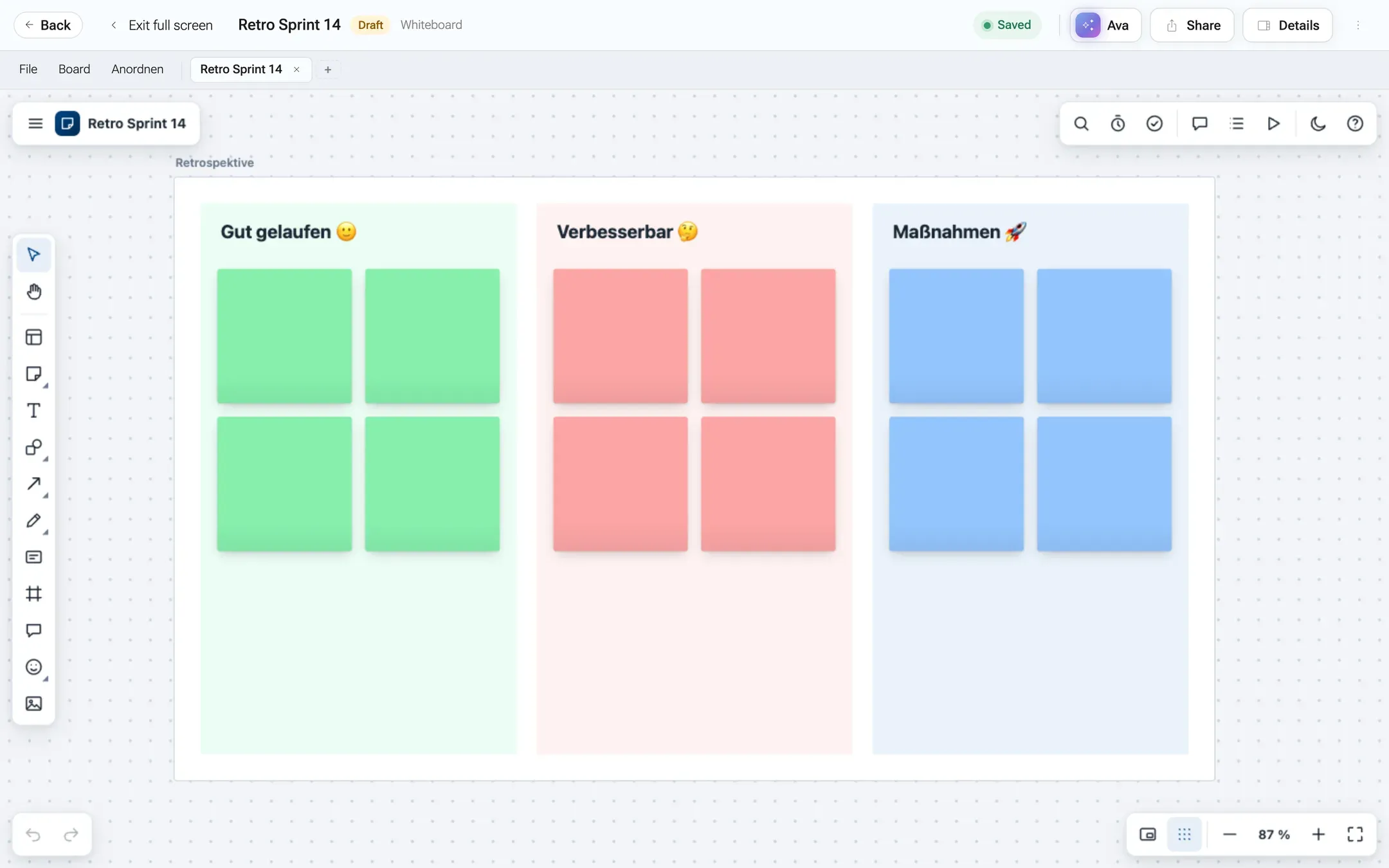
A new board is empty. The hint in the middle offers Vorlage wählen (choose a template). Lena picks Retrospektive, and the board gets its columns and frames.
/dokumente/detail/<id>?vollbild=1
The template sets up the columns and empty sticky notes, ready for the team.
Lena renames the document at the top of the page to “Retro Sprint 14”. The title is stored in the document and in its file name, Retro Sprint 14.whiteboard.nxd.
The project folder is already shared with the team, so nothing else is needed. For a guest, Share on the document page invites a single person.
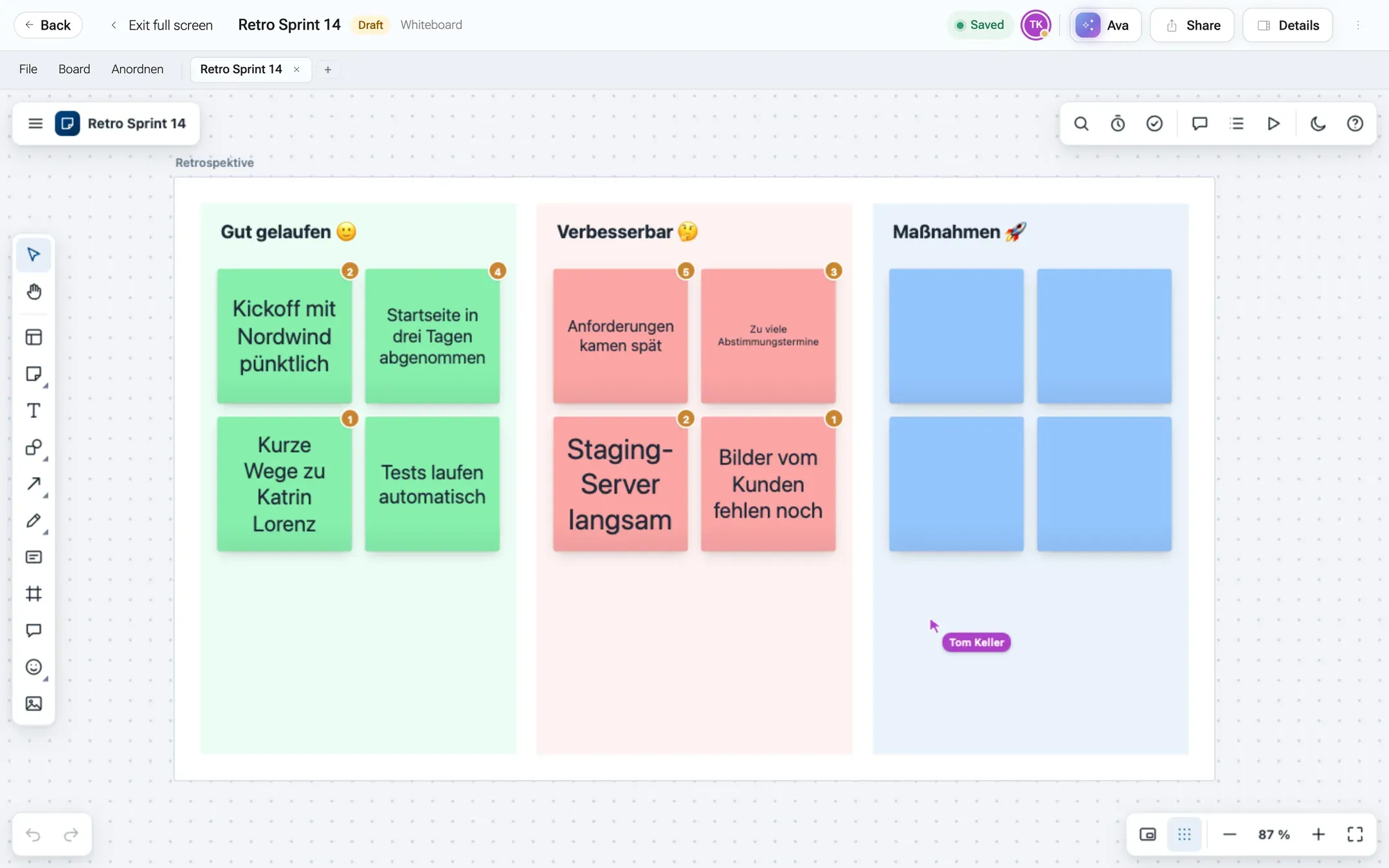
Everyone opens the board from the folder or from the link in the meeting invite. The faces at the top show who is there, and each person’s pointer moves across the canvas for the others.
/dokumente/detail/<id>?vollbild=1
Tom's avatar at the top and his pointer on the board show that he is working on it right now. The numbers on the notes are the votes.
Lena starts the timer and everybody writes sticky notes into the columns. Each note appears for the others as it is typed.
The team votes with dots. The result list shows which topics got the most dots. The votes are part of the board’s data, so they are saved with it.
Lena asks the AI Assistant in the panel next to the board: “Fasse die drei Themen mit den meisten Punkten als Maßnahmenkarten in einem neuen Frame zusammen.” The AI Assistant reads the current board, including the votes, and adds the frame with three cards.
The Whiteboard app tidies what the AI Assistant added: shapes grow until their text fits, and new content that would cover something moves to the next free space. Nothing that was already on the board moves. If the team prefers the AI Assistant’s raw layout, one undo (Ctrl+Z) brings it back.
For the minutes, Lena uses FileAls PNG exportieren (export as PNG) in the bar above the board. The entries inside an app’s menus come from the app itself, which speaks German. nexxus saves the picture, because the export started with a click inside the app.
In the next sprint review, BoardFrames präsentieren (present frames) shows the action frame full screen, one frame after the other.
Brandt & Söhne sells machines to industrial customers. Each offer comes with a short deck. The Präsentationen app is a slide editor with named layouts (Titelfolie, Abschnitt, Titel + Inhalt, Zwei Spalten, Zitat, Leer), deck-wide colour themes, freely placed text, image and shape boxes, a presentation mode and an export to a standalone HTML file.
The Präsentationen app brings its own instructions for the AI Assistant: the sizes of the layouts, how much text fits in a box, and that colours come from the theme. Brandt & Söhne add what is specific to them.
Jana Brandt, the administrator, opens StartApps and clicks the card Präsentationen (presentations) under My apps. The app’s page opens.
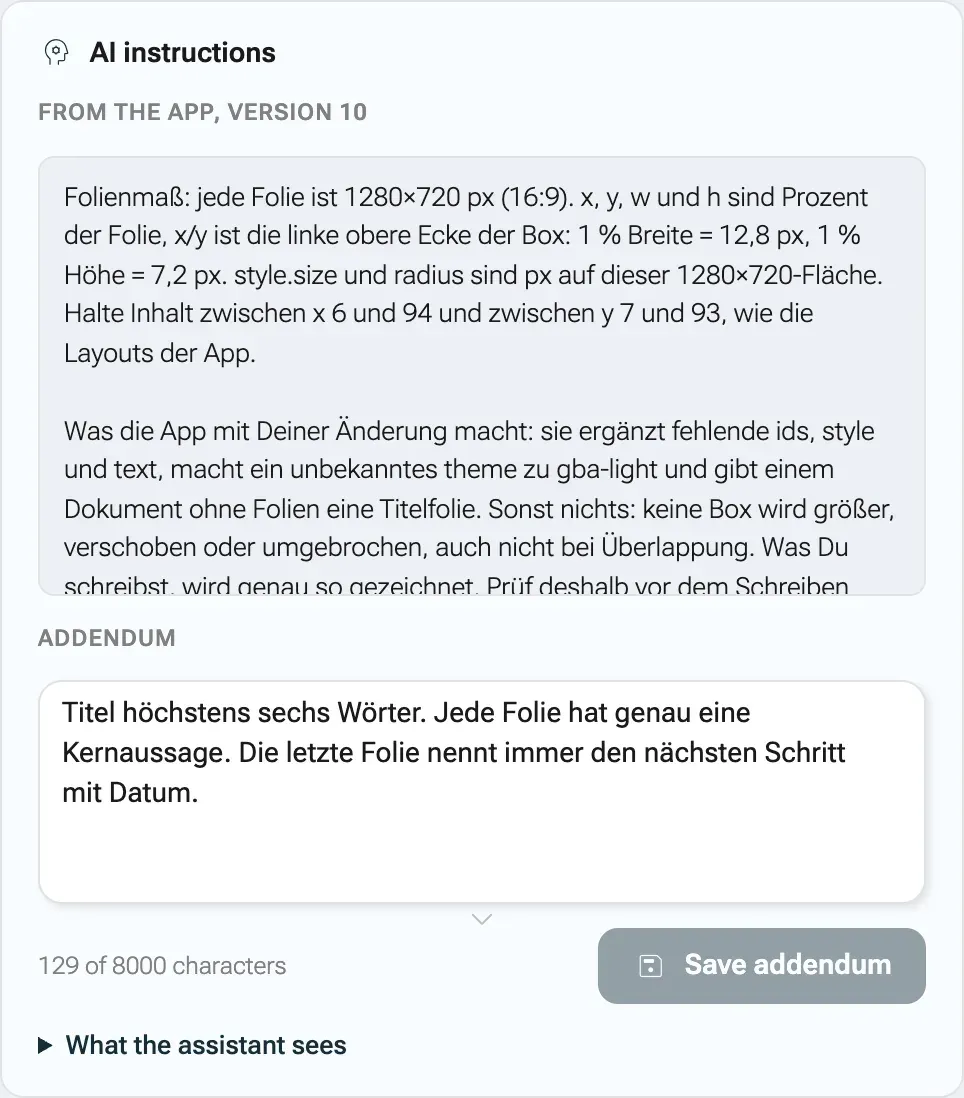
In the card AI instructions, the field Addendum takes the company’s rules, for example: “Titel höchstens sechs Wörter. Jede Folie hat genau eine Kernaussage. Die letzte Folie nennt immer den nächsten Schritt mit Datum.” The counter shows how many of the 8000 characters are used.
Save addendum saves it. Under What the assistant sees she checks the full text the AI Assistant will get: the app’s own instructions followed by the addendum.
The app's own instructions come first, the company's addendum follows.
The addendum belongs to the tenant, not to the app package. When a new version of Präsentationen is uploaded later, the rules stay.
Lena Hoffmann, who leads the Nordwind project, clicks Create & open on the Präsentationen card. nexxus asks Where should the document go? She picks the customer’s offer folder and clicks Create here. The new deck opens full screen.
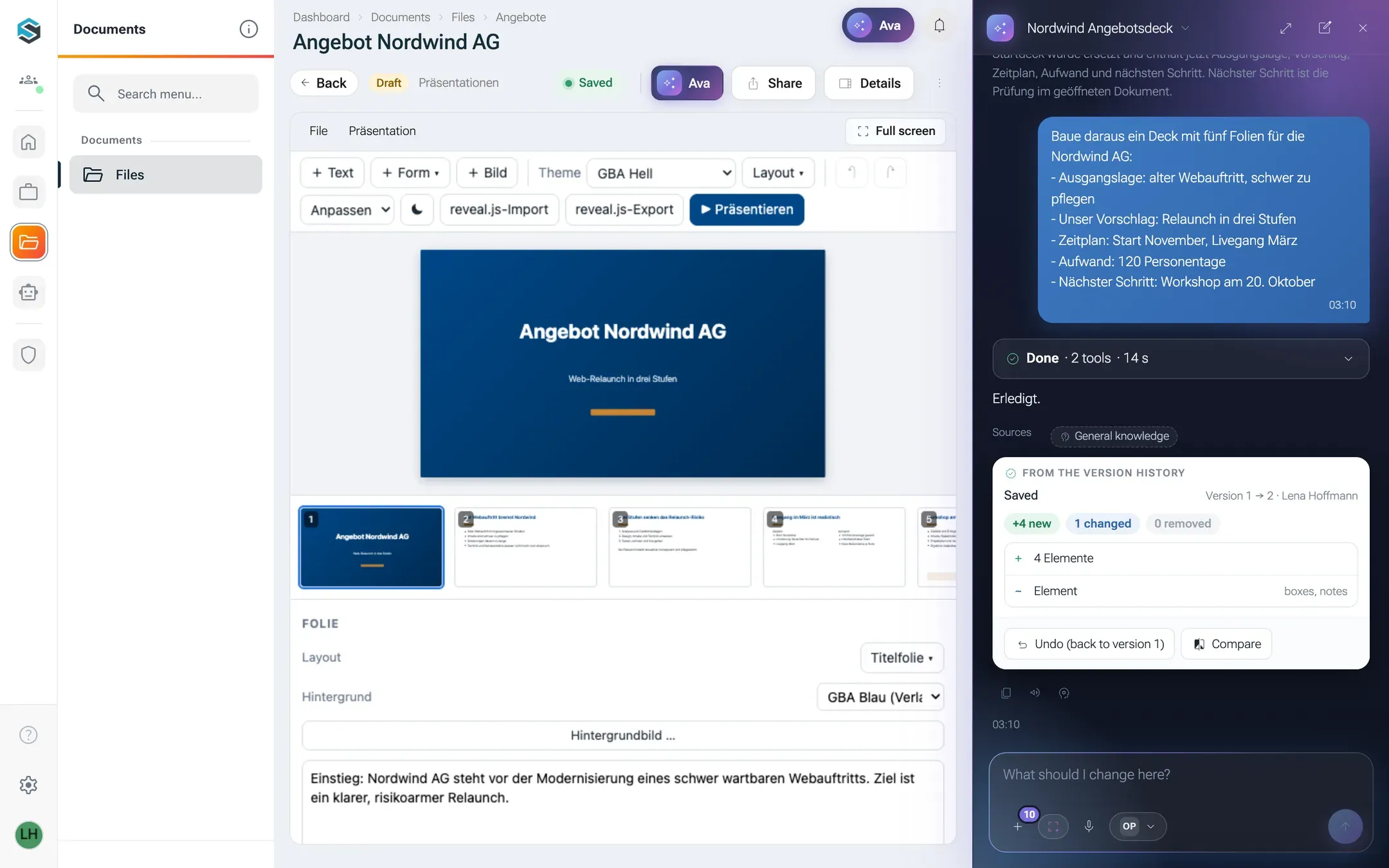
She opens the AI Assistant on the document page and pastes her bullet points: “Baue daraus ein Deck mit fünf Folien für die Nordwind AG”, followed by one line each for the starting point, the proposal, the schedule, the effort and the next step. The AI Assistant replaces the starting content with five slides in the named layouts and keeps to the house rules. The slides appear in the open editor. Below its answer, a card shows what changed, with Undo (back to version 1) and Compare.
/dokumente/detail/<id>
The AI Assistant wrote the slides into the open document. The card below the answer shows what changed and takes it back with one click.
Tom Keller from the service team opens the same deck and adds a slide with PräsentationNeue Folie (new slide) and a photo of the machine, dragged onto the slide. Both see each other’s changes immediately.
Before the meeting she switches the theme for the whole deck. Everything that came from the theme’s palette follows. Colours someone picked by hand stay.
In the customer meeting she starts PräsentationPräsentieren (present). Arrow keys move through the slides, Esc ends the show. While she presents, the pointers of colleagues who still have the deck open are hidden.
After the meeting, FileAls reveal.js exportieren (export as reveal.js) saves the deck as one HTML file for the customer. When that file is opened, it loads its presentation engine from the internet. Inside nexxus the app itself never goes online.
An older deck from before nexxus can come in the other way: FilePräsentation importieren (reveal.js) (import a presentation) checks the file first. The app’s own exports come back without loss. Decks from elsewhere are taken over in a simplified form, and the app says what it could not take over.